
01
Sales pipeline
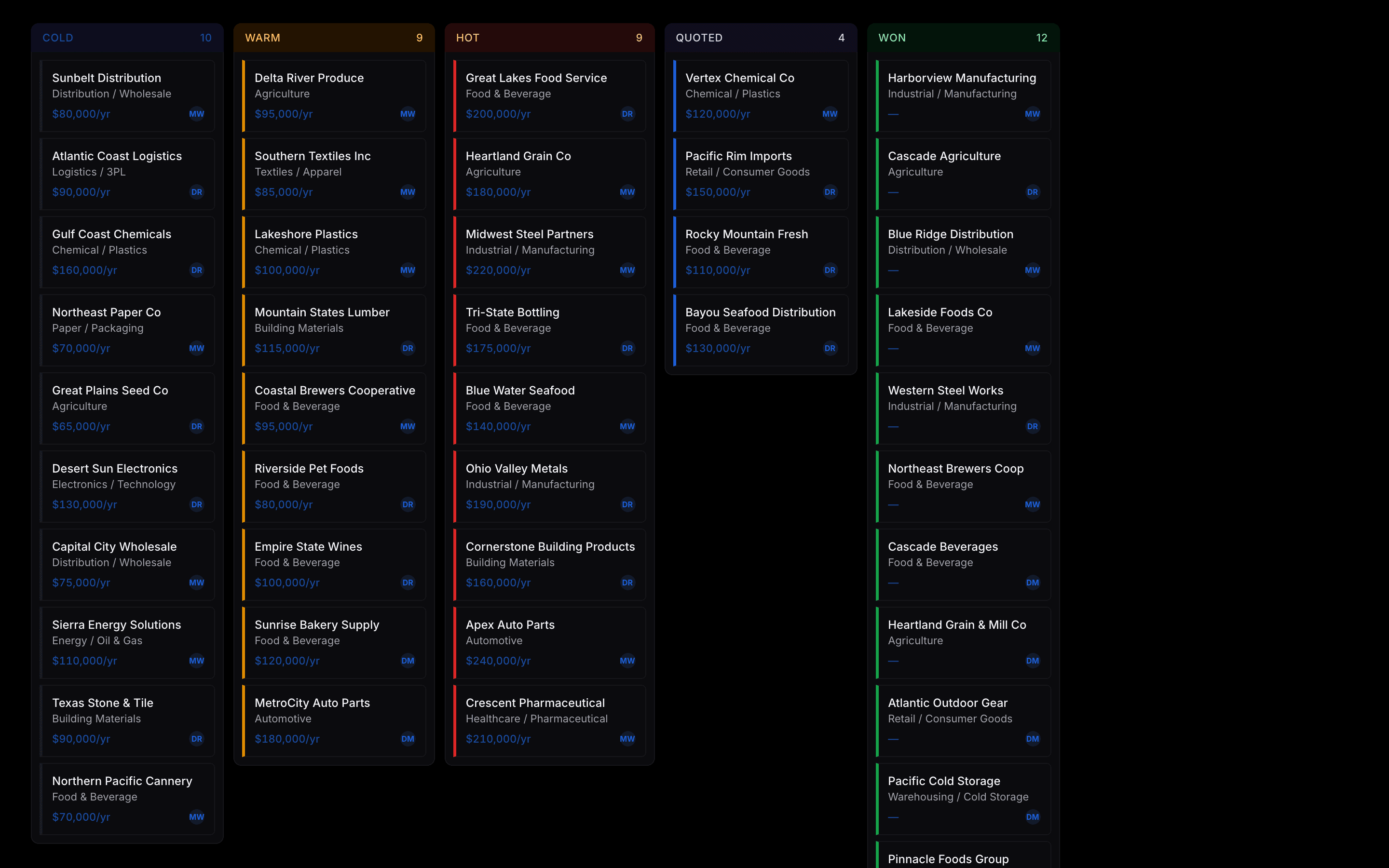
Move prospects from cold to closed without leaving Tempo. Quote-to-load is one step — the pipeline lives in the same app as your loads, so deals never go stale in a separate CRM.
Tempo is built feature by feature around the actual workday at a small brokerage. Here's what ships in the base product.
See features in
01
Move prospects from cold to closed without leaving Tempo. Quote-to-load is one step — the pipeline lives in the same app as your loads, so deals never go stale in a separate CRM.
02
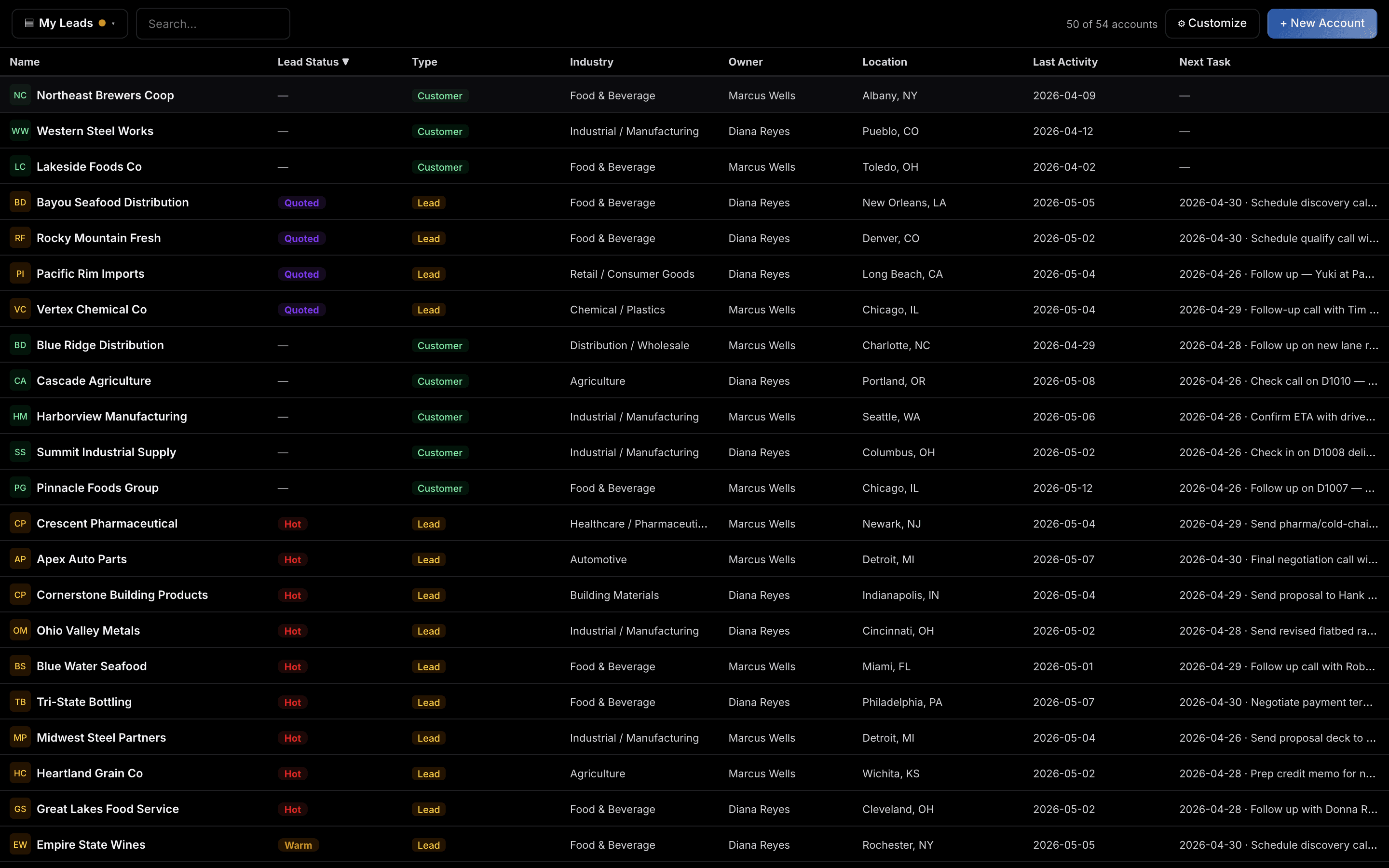
Every customer, prospect, and carrier in one place — with role, lead status, and recent activity at a glance. The whole team works off the same source of truth.
03
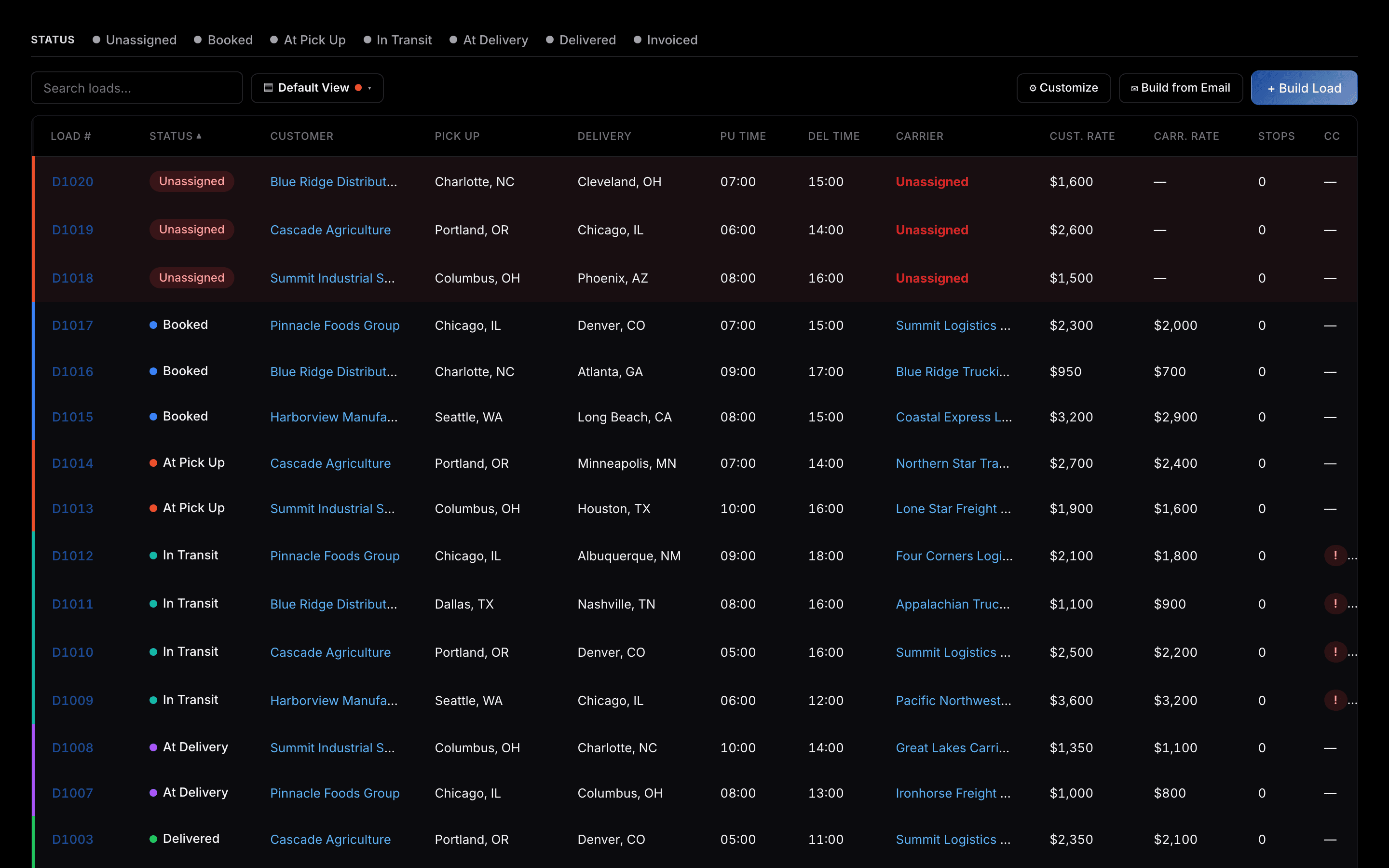
Every load on one screen, sorted by exactly where it is in the workflow — unassigned, dispatched, in transit, delivered, invoiced. Filter by lane, customer, or margin without leaving the page.
04
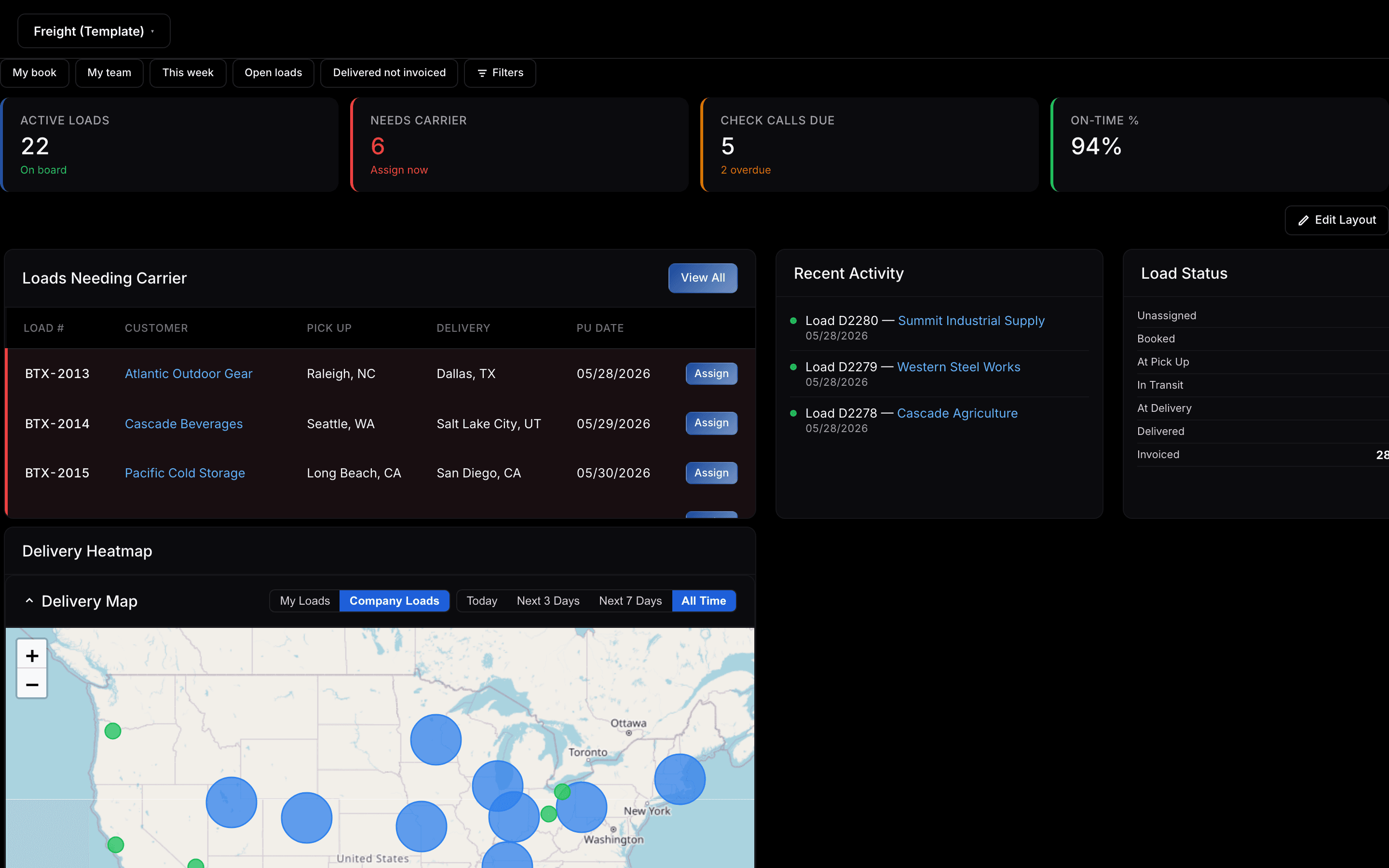
A real-time map of every load in motion. See concentration, gaps, and late-risk shipments at a glance — the same view your dispatcher and your account exec are looking at.
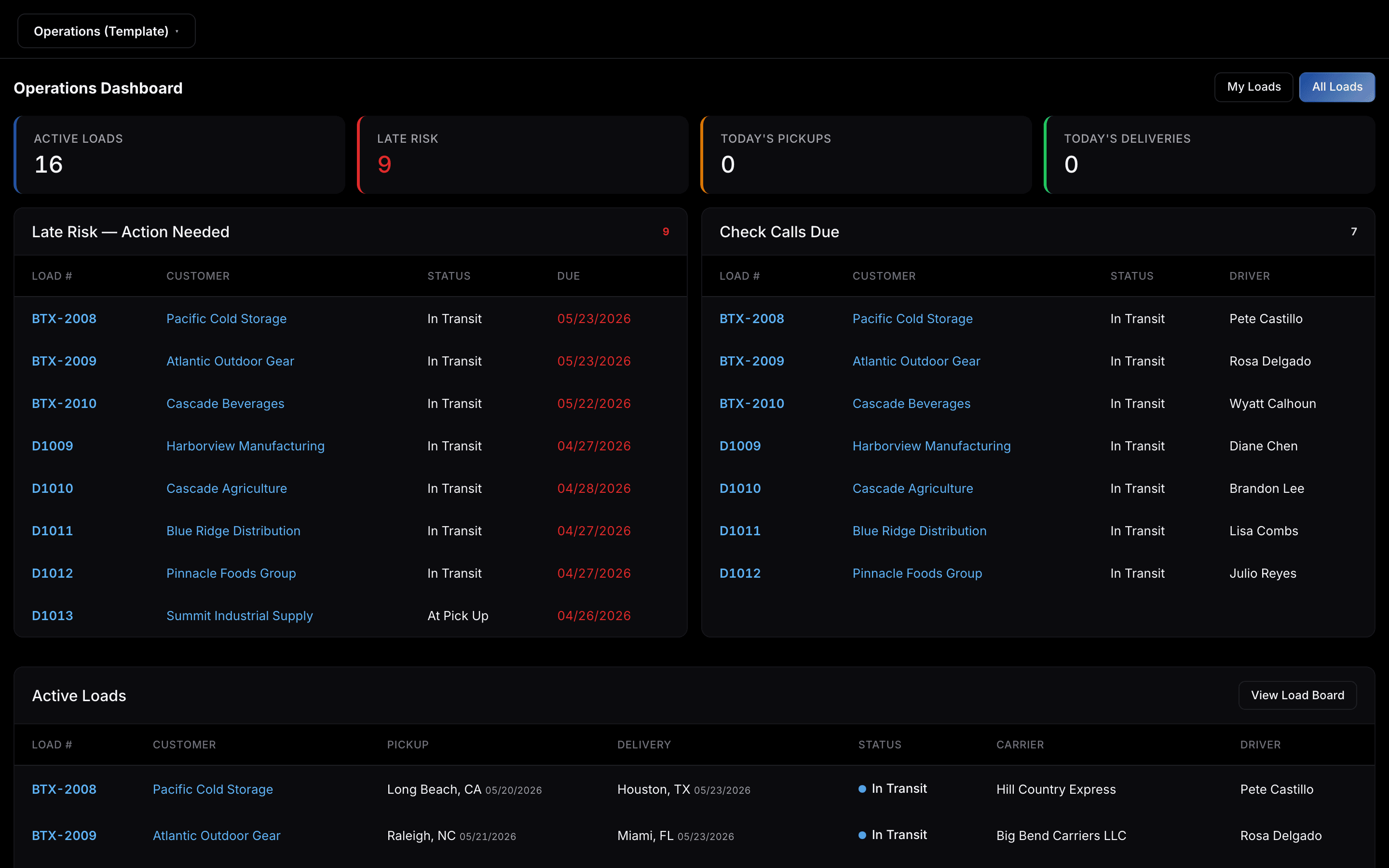
05
KPI tiles, late-risk loads, check calls due, and active dispatches in one snapshot. Your morning standup runs off one screen instead of four.
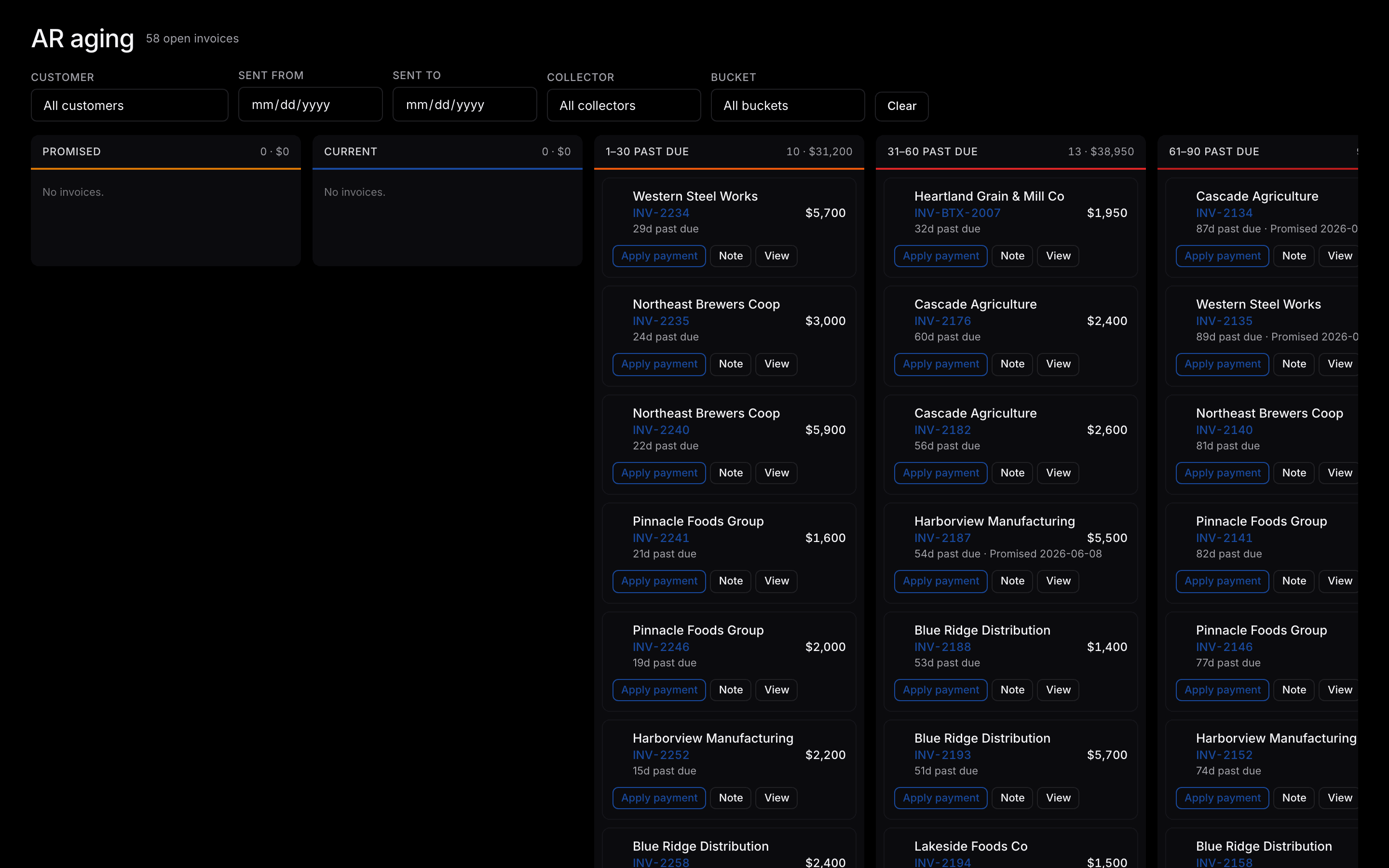
06
Watch invoices age in real time. Color-graded buckets — current, 30, 60, 90 — make it obvious which customers to chase before the call gets uncomfortable.
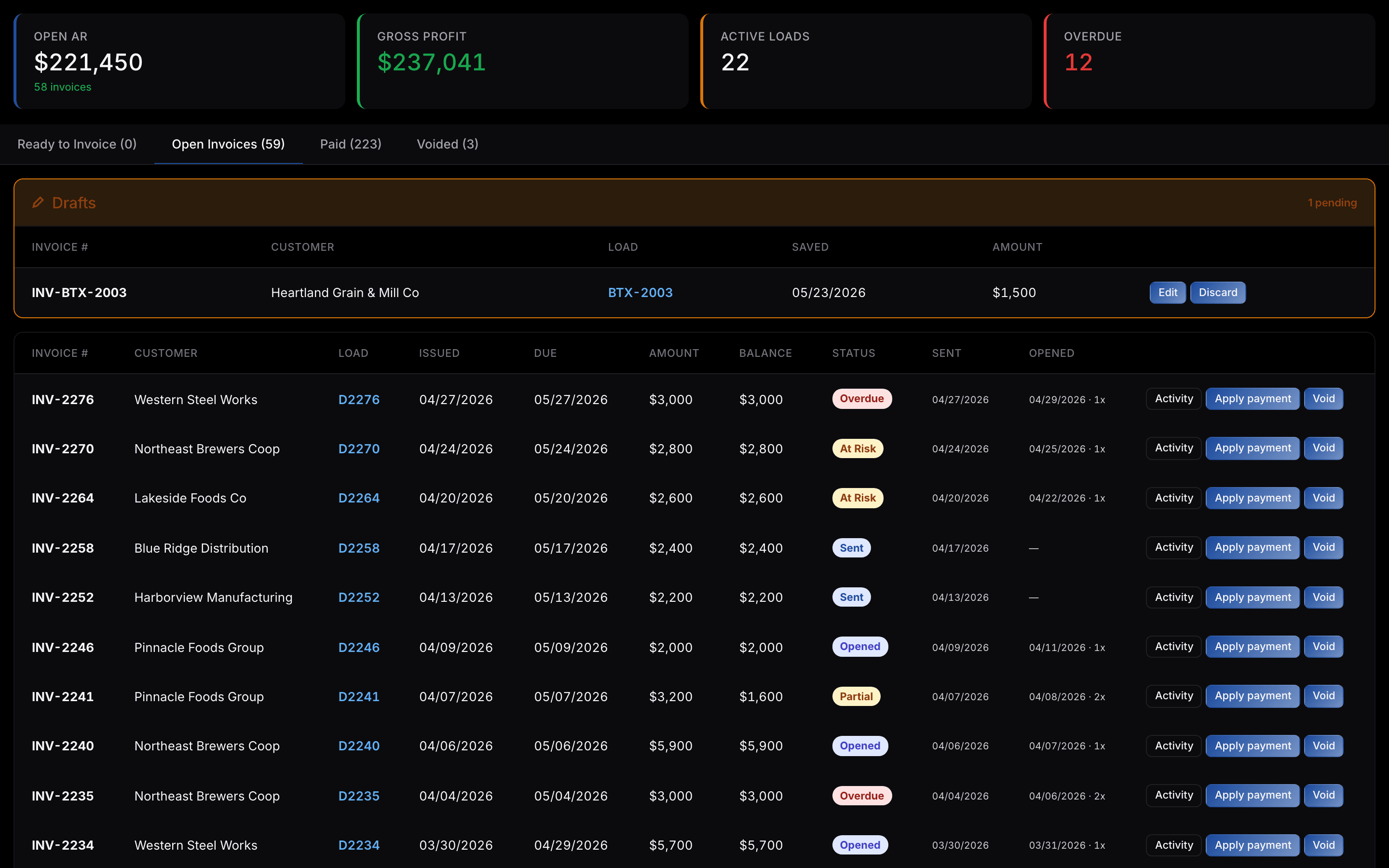
07
Open AR, gross profit, and overdue counts on top. Status-coded invoice rows below. Every load posts to the right account on delivery, so the books close themselves.